Split a bill
in seconds.
Snap the receipt, tap who had what, and send Venmo requests. No calculator, no awkward math at the table.
 Free on iPhone and iPad
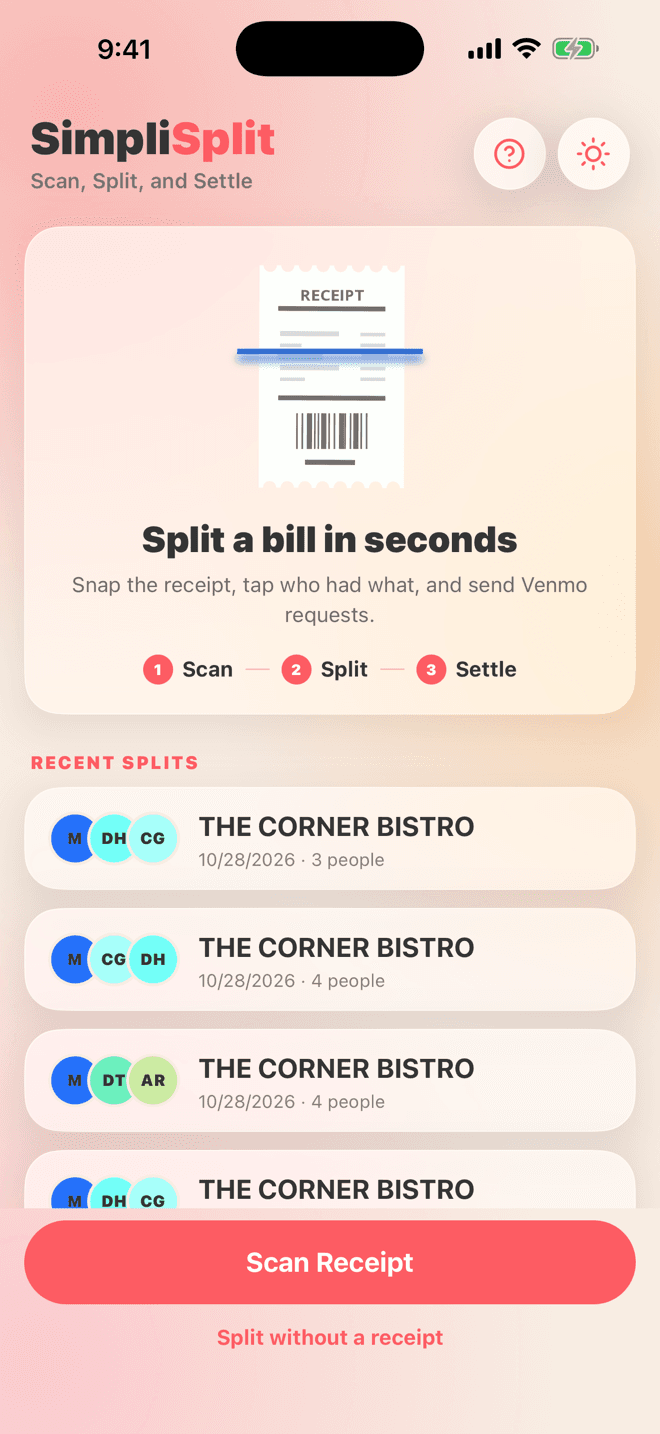
Scan, Split, and Settle.
Snap the receipt, or pick a photo you already took. We read every item, the tax and the tip for you.
Pick who's at the table from your contacts, then tap who had what. Shared plates can go to several people.
Send each person a Venmo request for their exact share, tax and tip included, and text them their receipt.
Everything the group chat argues about, handled.
Reads the whole receipt
Items, quantities, tax, tip and even coupons are pulled straight off the photo.
Fix anything
Tap an item to change its name, price or quantity, break it into shares, or combine it with another.
Tax and tip, done right
Everyone pays their fair share of tax and tip. Tip on the pre-tax amount if that's how you roll.
Scan to pay
Friend not in your contacts? Show a Venmo QR code and they can pay you on the spot.
Receipts by text
Each person gets a clean itemized receipt of what they ordered, so nobody has to ask.
Recent splits
Every split is saved on your phone, so you can resend a request any time.
No receipt? No problem
Add the items yourself and split them exactly the same way.
Light, dark and glass
A Liquid Glass design that feels right at home on iOS, in light or dark mode.
Your receipts stay yours.
Receipt photos are only used to read the items and aren't kept. Contacts are only used to address your requests, and we don't store them. No account, no sign-up.
Next dinner's on everyone.
SimpliSplit is free to download and use.